About this page
私 吉﨑太郎の
ポートフォリオサイトとなります。
コンテンツとしては現在、
自己紹介と製作物2点と少ないですが、
自身の事に関して幾らかでも
ご理解いただけたら幸いです。
This is my portfolio website.
Contents is not many(Bio and two product),
but I hope you will understand any better me.
About me
大学の学部は電子通信工学に進学。
また学生時代と大学院修了後は、
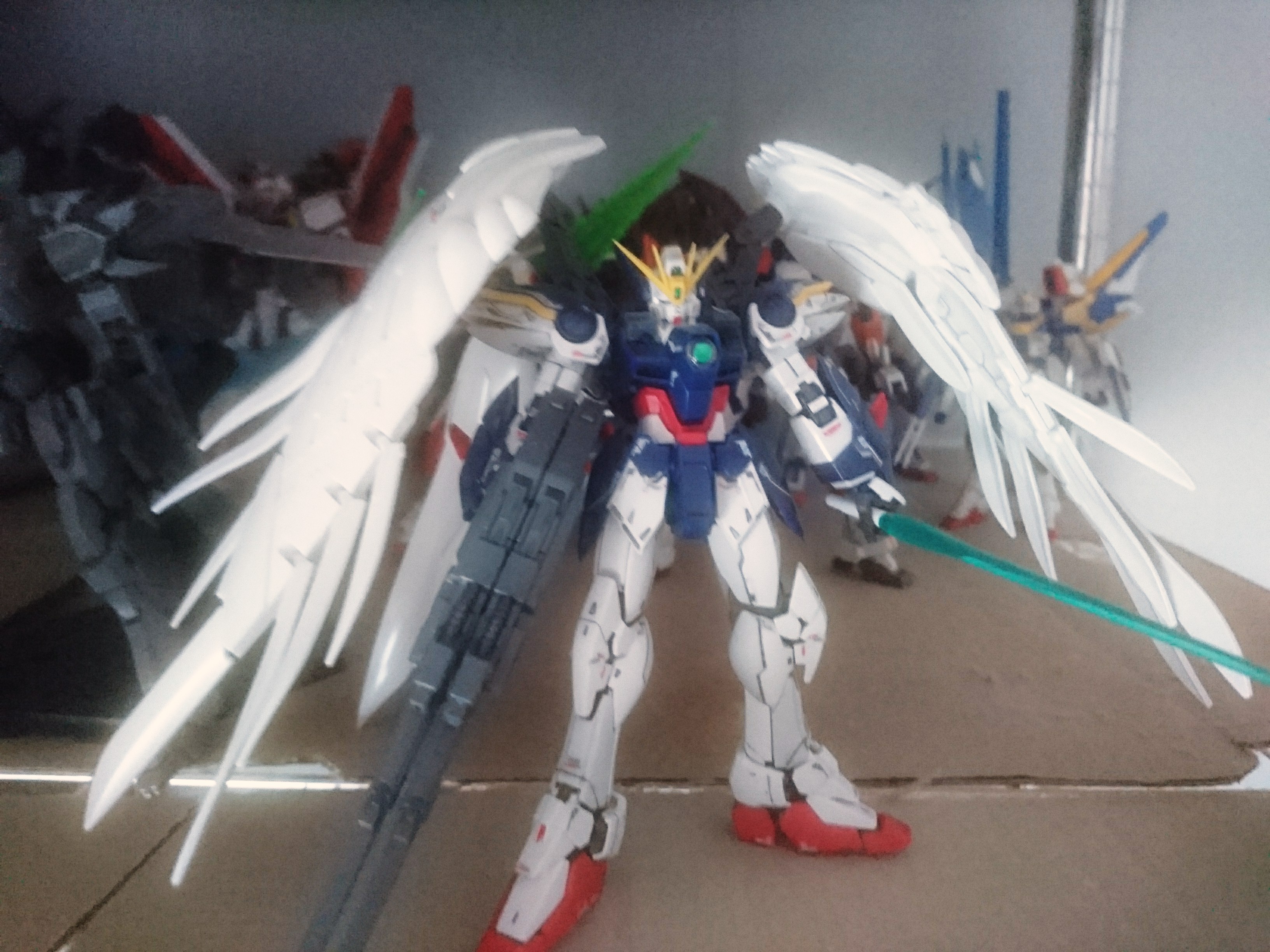
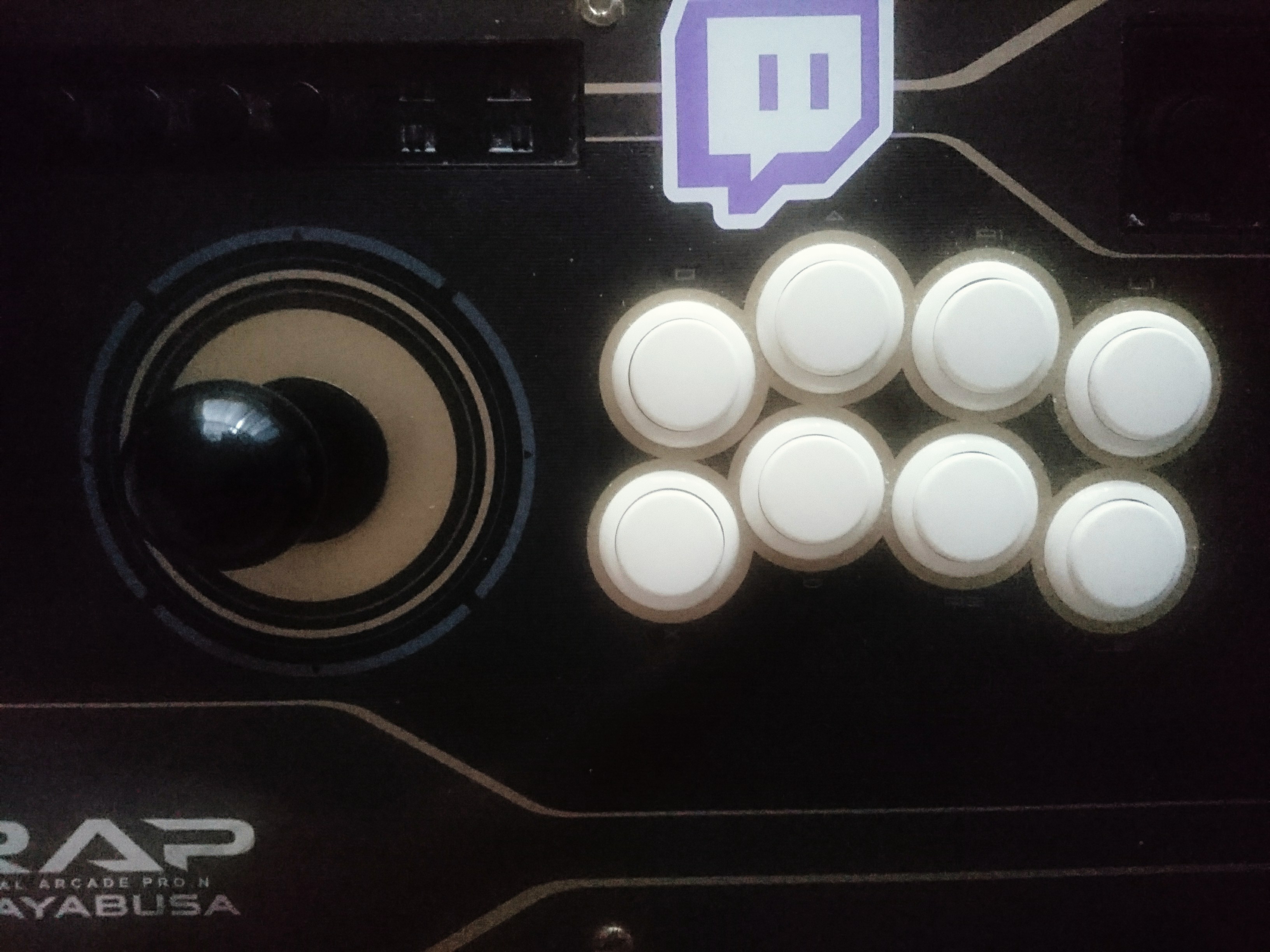
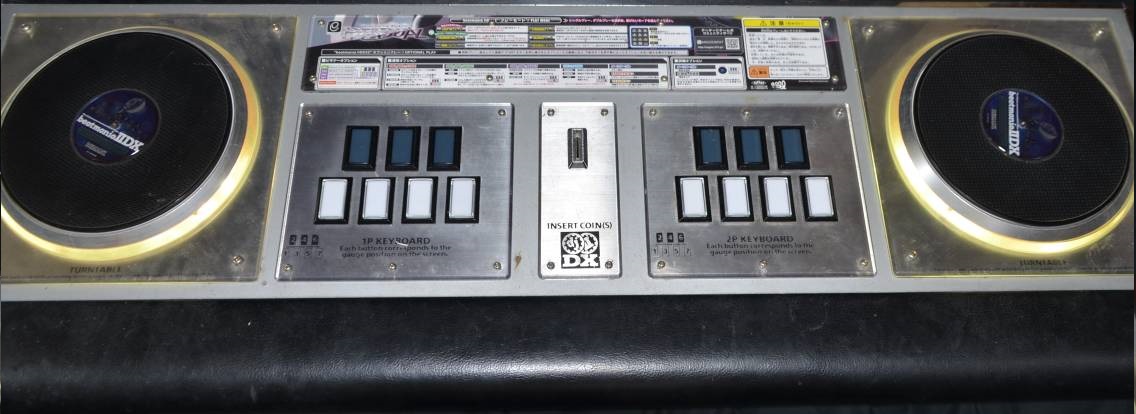
ゲームセンターのアルバイトに注力。
その後はモータ用デバイスドライバ制作に従事。
School of Engineering Science,
Department of Electronic communication.
In university days and after completed master's degree,
work at an amusement arcade.
After that, be engaged in product
device driver for stepping motors.
Profile
吉﨑 太郎
1984年 12月 1日生まれ
東京都在住 山梨県出身
Taro Yoshizaki
Born on December 1st, 1984
From Yamanashi, live in Tokyo.
●Biography(略歴)
●Biography
~

~
理工学部で学科は電子, 通信系。
専攻は電子物性とアナログ電子回路。
School of Engineering Science, Department of Electronic communication.
Discipline is Electronic properties and Analog electronics.

~
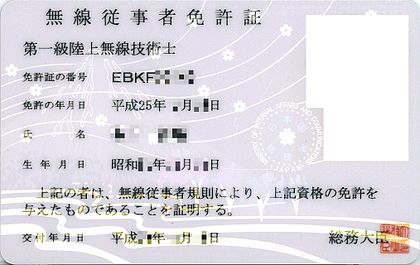
同時に学生時代から続けていたゲームセンターのアルバイトに従事。
And I was engaged in part-time work at a game center that I had continued since my student days.

~
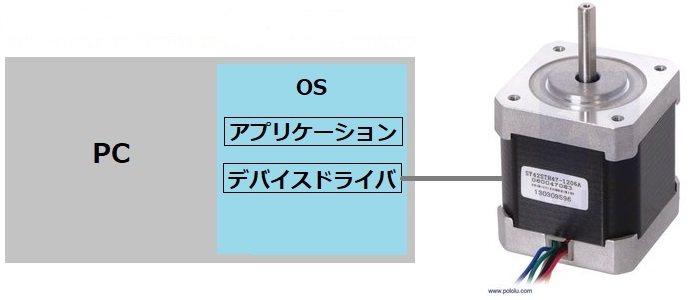
制御装置をPC等から操作する為のデバイスドライバの開発に従事。
Engaged in the development of device drivers for operating control devices from PCs.
~

~
~
コミュニケーションやセルフマネジメントなどのスキル、およびプログラミングの学習を行う。
現在に至る。
Students learn skills such as communication and self-management, and programming.
To the present.
●Personal profile
●Skill(技術)
サーボモータ制御装置用
デバイスドライバの設計, 開発
of devicedriver for stepper motor and servomotor
by controlling with PC.
製造工程,
単体テスト
- モジュール単位の詳細設計書の作成
- 上記設計に基いたコーディング
- テストプログラム上での単体テスト
- その他 業務補助用
アプリケーションの改修
- Creation of detailed design documents for each module
- Coding
- Unit test on the test program
- Improvement of application for business assistance
VisualStudio 2005,
C++,
C#.NET,
VB.NET
画面制御部改修の為の設計
for blood agitation testing equipment.
製造工程
- 改修, 追加機能に合わせた設計
- 上記設計に基いたコーディング
- Refurbishment, design for additional functions
- Coding
VisualStudio 2013,
C#.NET,
Livet(WPF),
TortoiseGit
クレジットカード決済対応
- 改修, 追加機能に合わせた設計
- Refurbishment, design for additional functions
Visual C++,
C,
TortoiseSVN
Products
1. IIDAXE-dp
IIDAXE-dp TOP(概要)
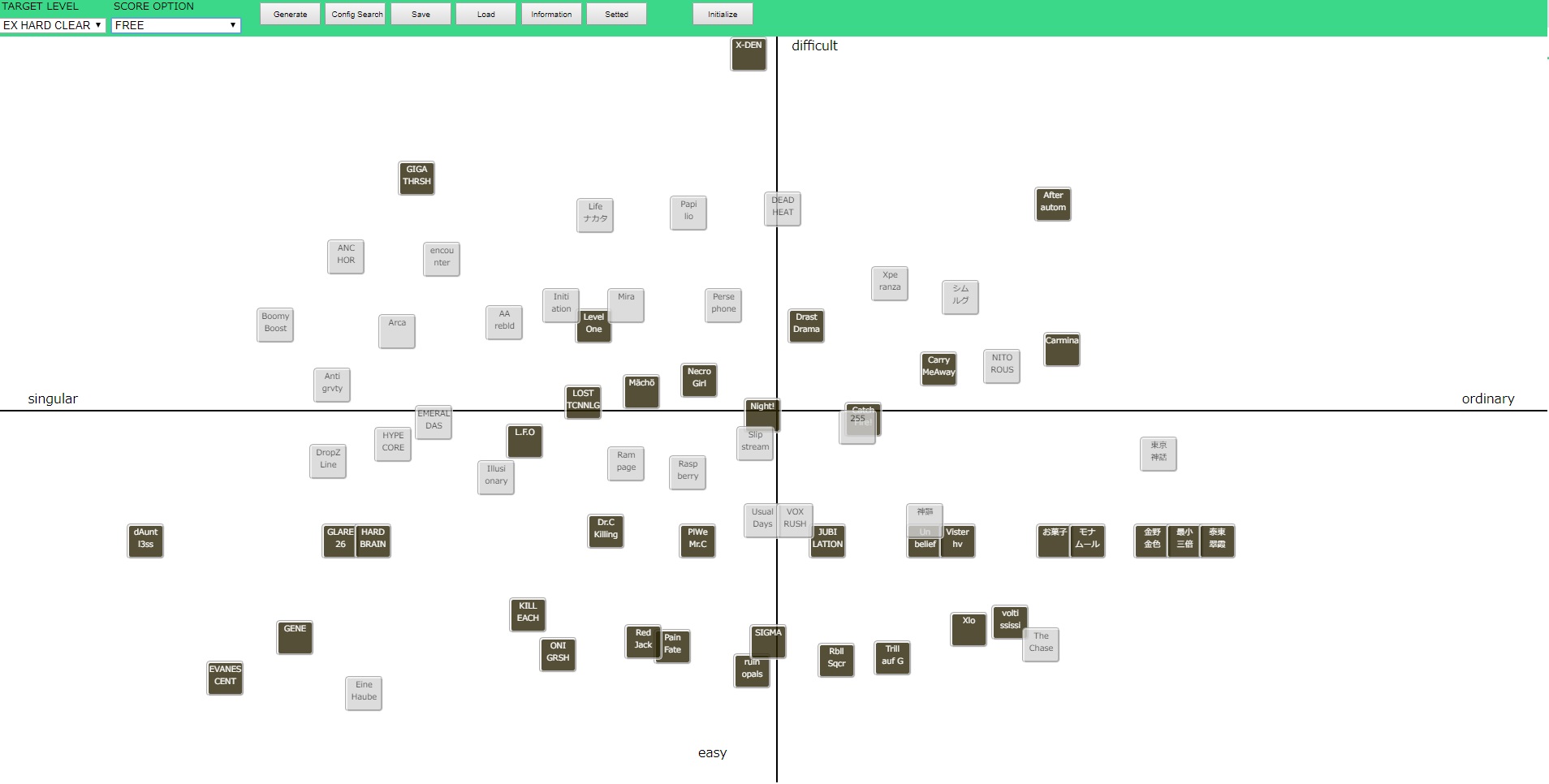
BEMANIシリーズの一分野における難易度比較を、
ヒエラルキー形式で考察, 提言, 表現する為のツール。
機能説明
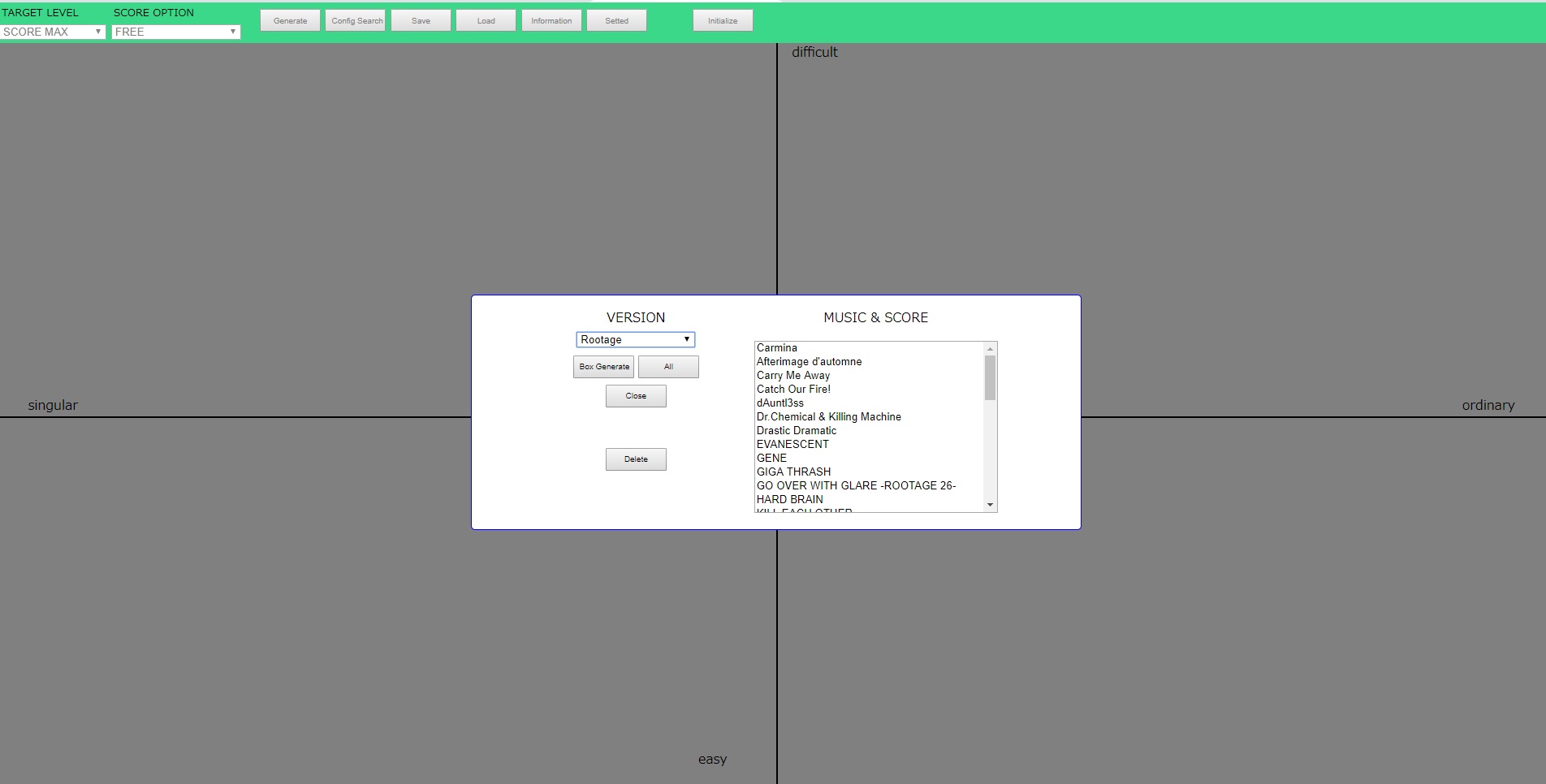
- 上部ヘッダー内Generateボタンにより生成用モーダルウィンドウ表示。
- VERSIONセレクトボックス変更で
MUSIC & SCOREセレクトボックス内容が変更。 - MUSIC & SCOREのセレクトボックスはShiftキーやCtrlキーを
押しながらで複数選択可能(Allボタンで全選択状態に)。 - Box Generateボタンにより MUSIC & SCORE選択中の内容で
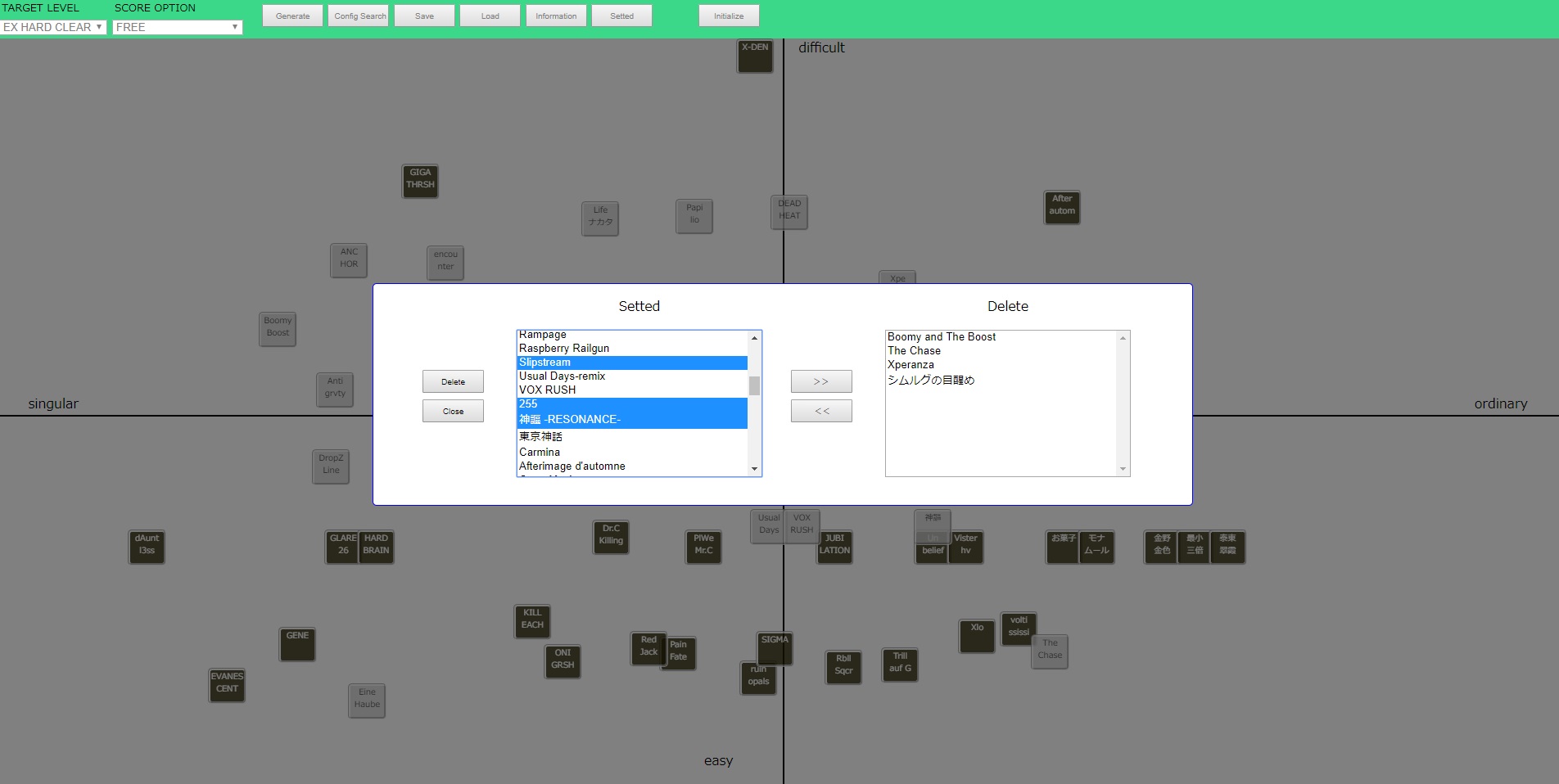
ドラッグ可能なボックスを生成。 - Deleteボタンにより 一括削除用モーダル表示。
- 生成済みボックスがSettedセレクトボックス内に表示
(マルチセレクト可能)。 - >>ボタンにより選択中の対象をSettedからDeleteへ移動。
- <<ボタンにより選択中の対象をDeleteからSettedへ移動。
- DeleteボタンによりDeleteセレクトボックス内の
ボックス全てを一括削除。 - 配置済みのボックスの位置を検索, 選択しSearchボタンにて
その位置に表示を移動。
(※正しく動作しない可能性有り)
- Name Saveにて作成者名保存しページタイトルに反映。
- 作成した内容をTwitter共有用URLを作成し、
Tweetボタンにて投稿可能(もしくは下部URLを利用)。 - 共有用URLからIIDAXEを開いた場合、
URL作成時のウィンドウサイズにて別ウィンドウが開きます。
(※別ウィンドウがポップアップブロック等により開かない事が有りますので許可してください) - Save, Loadボタンにより状態の保存, 読出(local Storage使用)。 (保存, 読出を行う内容は、"生成および配置した位置",
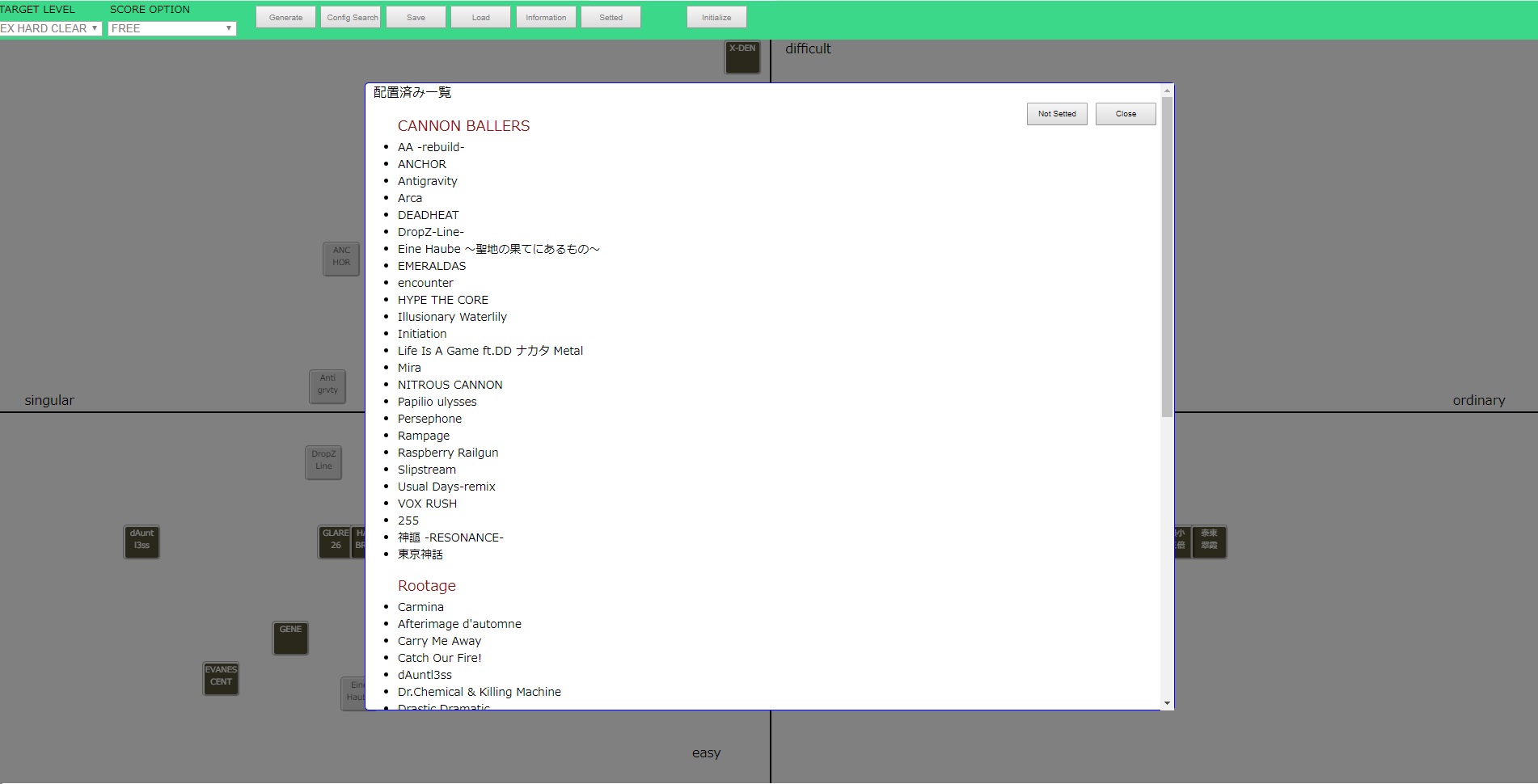
- Settedボタンにより配置済みの一覧表示、曲名クリックで移動。
モーダル内Not Settedボタンで未配置一覧表示に切り替え。 - Initializeボタンで全て削除(local Storage内保存内容も削除)。
- Informationボタンで当説明と同内容の表示。
- X軸 : 対象譜面において特異であるか
(左部 特異である[singular], 右部 一般的である[ordinary])。 - Y軸 : 対象譜面において設定した目標の達成難易度
(上部 達成難度高[difficult], 下部 達成難度低[easy])。
(同じY座標にて、同程度の難易度ではあると思っても - 生成したボックス複数を選択する様にドラッグすると
複数選択状態に(枠線が赤の状態)、まとめてドラッグ可能。 - Shiftキー+Ctrlキーの同時押しをしながら
ボックスをダブルクリックで対象の削除。 - Altキーを押しながらボックスをダブルクリックで
対象のTextageの譜面ページへ別ウィンドウにて移動。 - マウスオーバーで吹き出しによる曲名表示。
- 一部楽曲名が違います(ダブルクォーテーションの関係)
Generateボタン 及びウィンドウ
Deleteボタン 及びウィンドウ
Config Searchボタン 及びウィンドウ
ヘッダー内他ボタン
"TARGET LEVEL, OPTIONセレクトボックスの選択情報")
軸, 座標について
個人差, 譜面の特異性, 特徴から一般的で無い と考えるならば左部へ)。
その他
最終更新(対応イベント等)
- ARC SCORE(FINAL)
- ARENA(第7回)
- DELABITY LABORATORY(FLOOR 3)
- 蜃気楼の図書館(最後の書庫)
- 20th Anniversary Secret Sound
- BEMANi投票選抜戦2019
将来対応予定
- 配置可能領域の変更設定(現在 背景画像で固定してしまっている)
- 軸の表示変更の変更設定(同上)
- スマートフォン等からのブラウザ対応
作成環境等
- html, JavaScript, jQuery
- Windows7, Visual Studio Code, Google Chrome(PaizaCloud)
動作確認(PC)
Google Chrome 73.0.3683.75Fire Fox 65.0.2
Vivaldi 2.3.1440.61
手法等
形式等の大元は下記引用のMMCafeより、主に配置した物の位置情報の取得 及びパラメータとしての変換行程を参考に構築
↓IIDAXEで新規作成(PCのみ)
Create DP12 tierGitHub内 リポジトリ
GitHub(iidaxe)参考, 引用
MMCafe Tier Chart Maker / MMCafe キャラランクメーカーTexTage [テクステージ] (てふたげ)
IIDAXE-dp TOP(Overview)
A tool for DP difficult12 in beatmania IIDX
to consider, propose and express difficulty comparison
in a certain field in hierarchical form.
Feature Description
- By "Generate Button" in header push, display window for genarate.
- If change the "VERSION" sellectbox, changed contents of "MUSIC & SCORE" sellectbox.
- Contents of "MUSIC & SCORE" sellectbox can be sellected multiple by Shift or Ctrl(All button can all sellected).
- "Box Generate" button make draggable BOX with sellected in "MUSIC & SCORE".
- "Delete" button call window for bulk delete.
- Displayed list of made draggable box in "Setted" sellectbox (Multiple sellectable).
- ">>" button move sellected to "Delete" from "Setted".
- "<<" button move sellected to "Setted" from "Delete".
- "Delete" button pushed, delete draggable boxes of sellected contents in "Delete" sellectbox.
- Search position of setted boxes, display moved to the position by pushing "Search" button. (※May not work properly)
- "Name Save" button saves author name and applies that name.
- Created tier chart can be posted by "Tweet" button with URL share( or use direct URL).
- A separate window will open depending on the window size when creating the URL. (※Since another window may not open due to a pop-up block etc., please allow it)
- "Save" and "Load" buttons can save and load position status(Using local Storage). (Save and load contents is "Generate and set position", "status ofTARGET LEVEl and OPTION sellectbox")
- By "Setted" button, display the setted List. And "Not Setted" button toggled not setted list.
- "Initialize" button delete All setted box( with local Storage).
- Information display this explanatory text.
- X Axis : Whether an target score is singular(left side : It's singular, right side : It's ordinary).
- Y Axis : Compleat difficulty of setted on "TARGET LEVEL".(Top side : It's difficult, Buttom side : It's easy). (If you think on same level Y axis both score and it has singularyty, you should set left side)
- Generated boxes can be selected multi drag(Borders are red).
- If double click the box with pushing "Shift key + Ctrl key", target box deleted.
- If double click the box with pushing "Alt key", open on textage's score page.
- By mouse over display music name.
- Some music name different original name(In relation to double quotation).
Generate Button with window
Delete Button with window
Config Search Button with window
Other button in headder
Axis, Position
Other function
Last Update(Added events)
- ARC SCORE(FINAL)
- ARENA(7th round)
- DELABITY LABORATORY(FLOOR 3)
- The Bibliotheca of Mirage(Last Archive)
- 20th Anniversary Secret Sound
- BEMANI Vote selection 2019
To be added
- Field config(size etc...)
- Changing function of Axis name.
- for Smartphone
Production environment
- html, JavaScript, jQuery
- Windows7, Visual Studio Code, Google Chrome(PaizaCloud)
Operation check(PC)
Google Chrome 73.0.3683.75Fire Fox 65.0.2
Vivaldi 2.3.1440.61
Meathod
Format and etc.. quote from MMCafe.In particular, Method of getting setted things position data and conversion to parameter.
↓IIDAXE-dp (PC only)
Create DP12 tierGitHub Repository
GitHub(iidaxe)Reference, Quotation
MMCafe Tier Chart Maker / MMCafe キャラランクメーカーTexTage [テクステージ] (てふたげ)
2. D-Posts
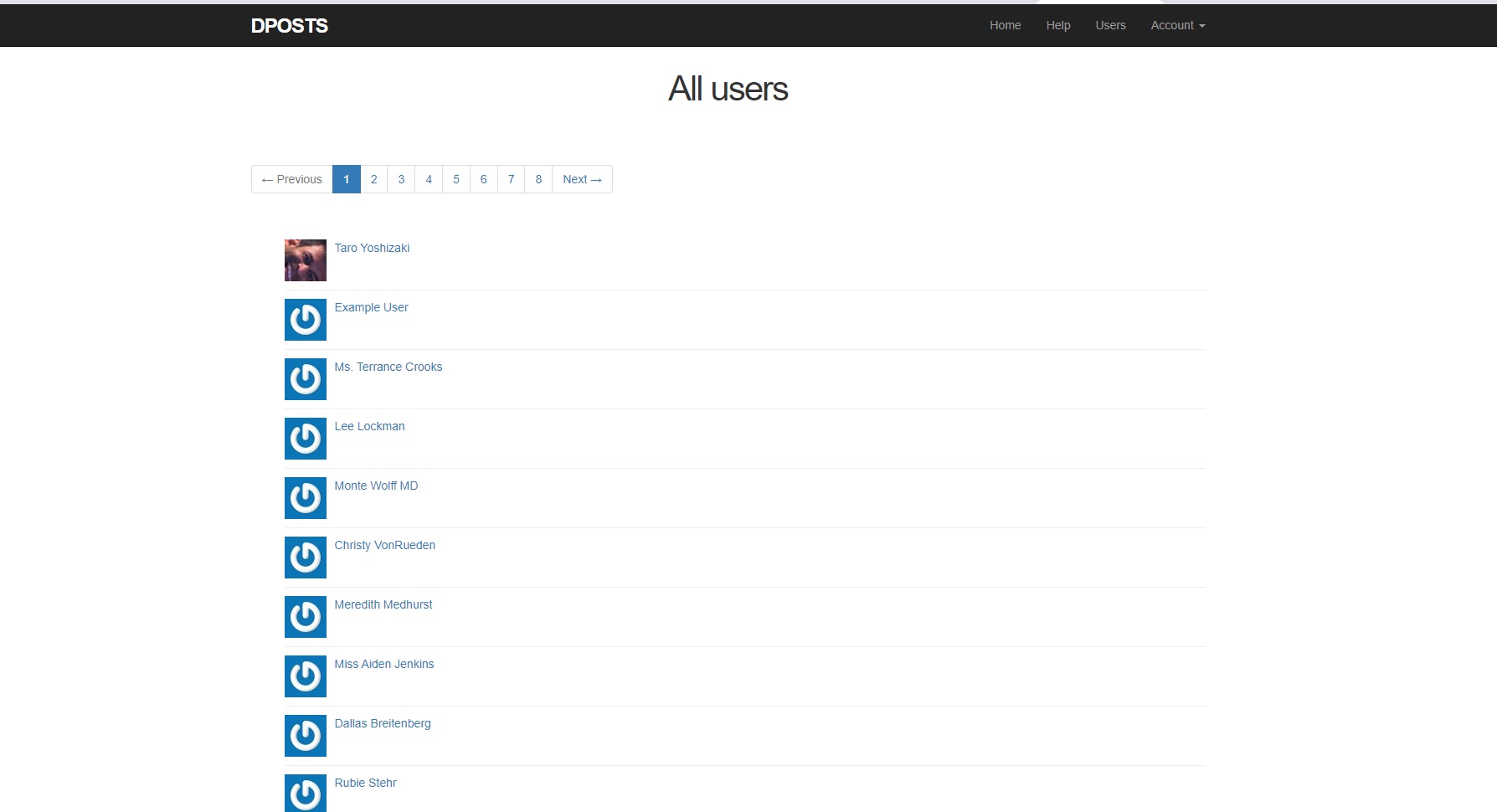
D-Posts(概要)
就労移行支援事業所内のRuby on Railsの学習で作製
Twitterと同様の登録性, 文章投稿, 画像投稿, 閲覧機能
機能説明
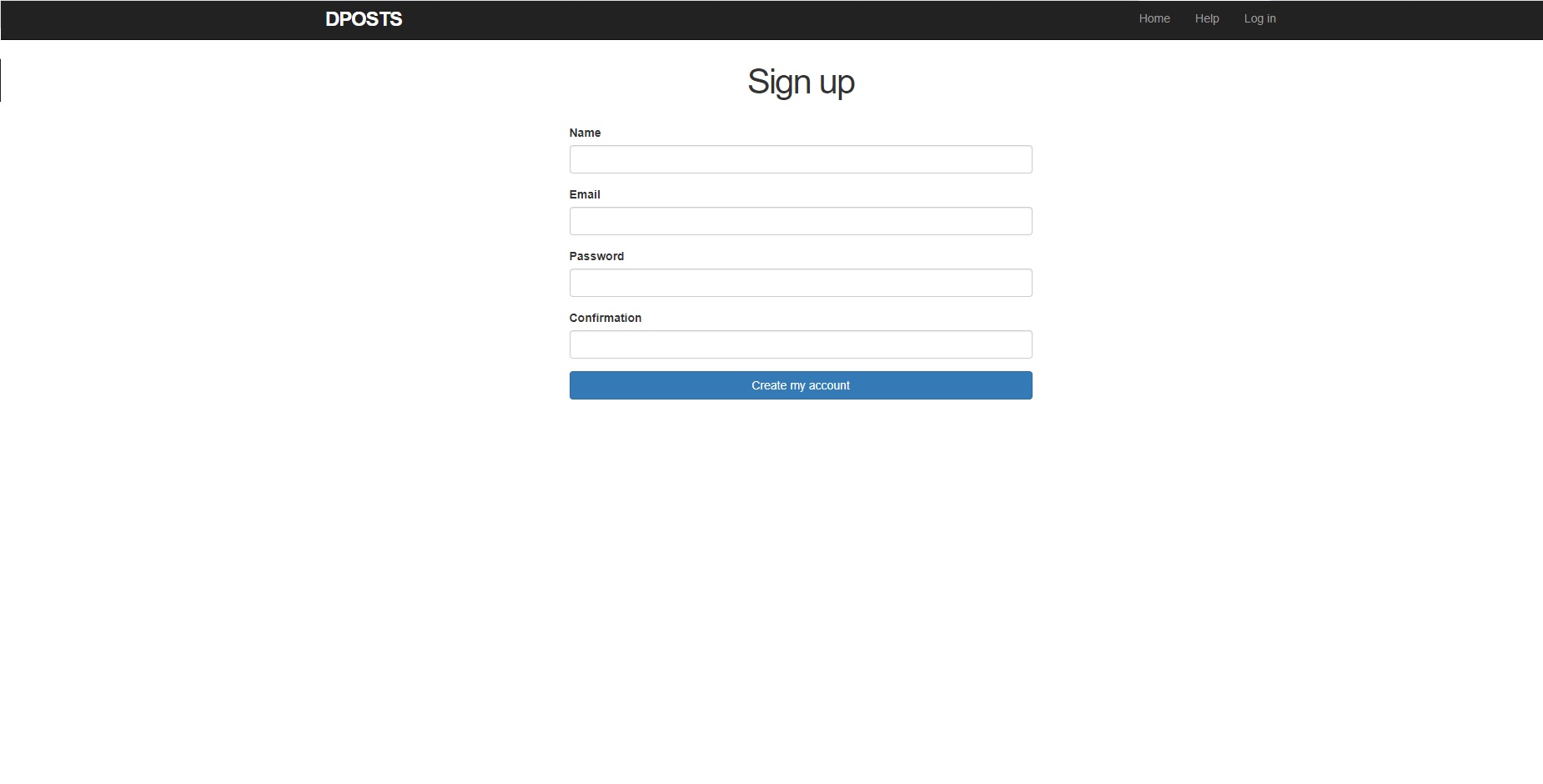
- アカウント名, E-mailアドレス, ログイン用パスワードを入力し新規登録完了
- Log inボタンより登録に用いたE-mailアドレス, パスワードでログイン
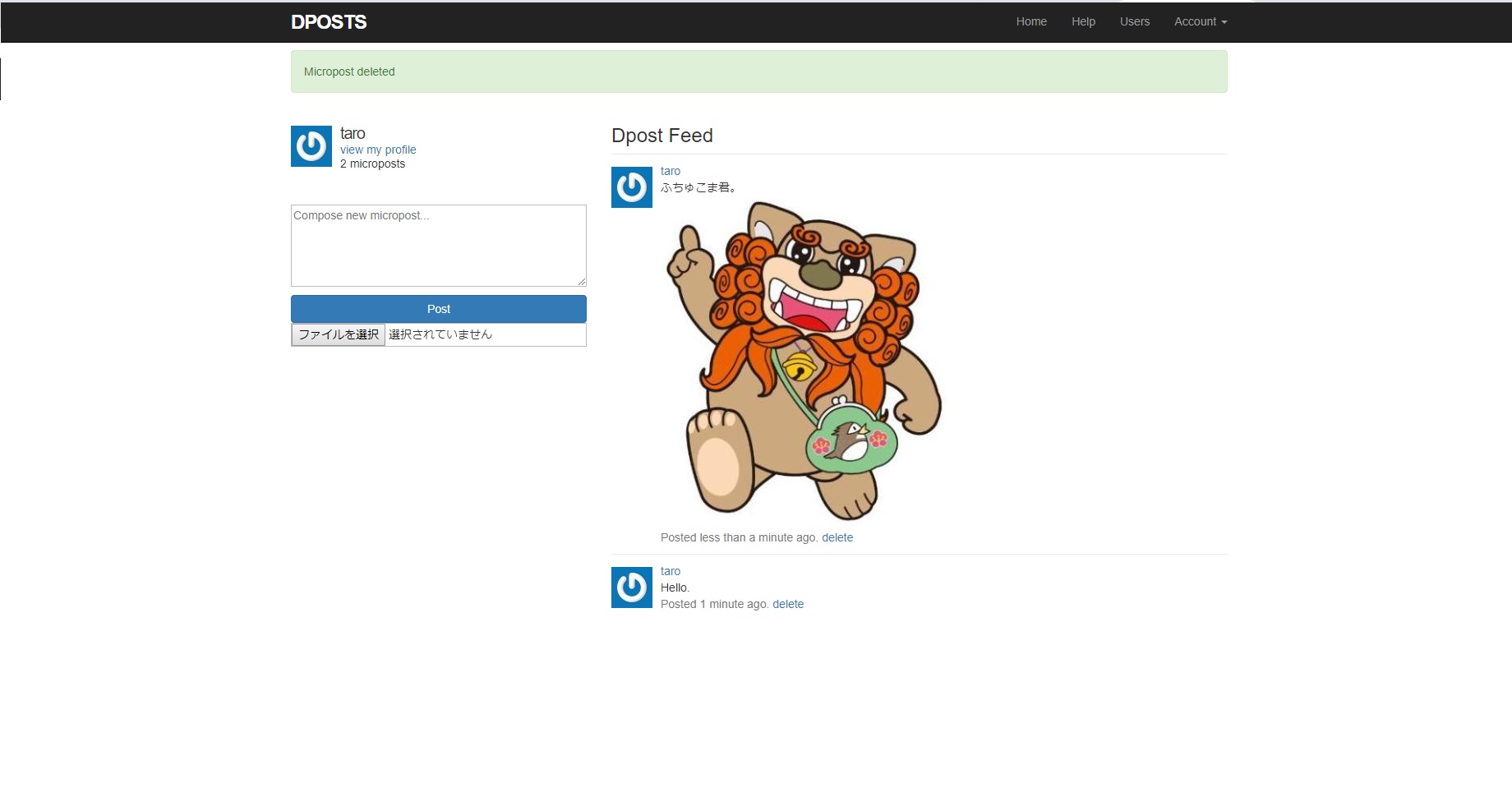
-
自身のアカウント 及びフォローしているアカウントの投稿を
時系列に沿って表示 -
"Compose new micropost" より文章を入力し投稿可能(空白不可能, 140字以内)
画像も添付可能 - Usersボタン
-
登録済みのユーザー一覧表示(現在 大半はダミーのデータ)
ユーザー ページよりフォローが可能。
新規登録
Homeボタン
投稿
作成環境等
- html, Ruby on Rails, JavaScript, jQuery
- Windows10, Google Chrome(PaizaCloud)
動作確認(PC)
Google Chrome 73.0.3683.75Vivaldi 2.3.1440.61
GitHub内 リポジトリ
GitHub(dp-posts)D-Posts(Overview)
Created by learning Ruby on Rails in the work transfer support office.
Registerability similar to Twitter, text submission, image submission, browsing function.
Feature Description
- Enter your account name, e-mail address, login password and complete new registration.
- Login with the e-mail address and password used for registration from the login button.
- Display posts from your account and the accounts you are following, in time series.
-
You can post by entering text from "Compose new micropost".
(cannot be blank, within 140 characters).
Images can also be attached. - Users Button
-
List of registered users (currently mostly dummy data).
You can follow from the user page.
Sign up
Home Button
Post
Production environment
- html, Ruby on Rails, JavaScript, jQuery
- Windows10, Google Chrome(PaizaCloud)
Operation check(PC)
Google Chrome 73.0.3683.75Vivaldi 2.3.1440.61
GitHub Repository
GitHub(dp-posts)Contact
少しでも私の事を
御理解頂けたのなら幸いです。
何かしらのコメント, 御質問等ありましたら、
下記フォームよりご連絡ください。
By browsing, I hope you will
understand any better me.
If you have some
comments or questions,
Please contact me from beneath form.